우분투에서는 apt update와 apt upgrade 명령어가 존재한다.
apt와 apt-get은 같은 동작을 하며, 차이는 없는데 apt-get이 더 많은 옵션이 있다고 한다.
참고로, apt는 (Advanced Package Tool, 진보된 패키지 관리자)의 약자이다.
예를 들어보면, 현재 내 워크스테이션의 git의 버전은 아래와 같다.
$ git --version
git version 2.34.1
일반적인 방법으로는 apt update로 현재 설치된 패키지들의 최신 버전 정보를 수집하고,
apt upgrade로 수집된 정보를 바탕으로 업그레이드를 실시할 수 있다.
그런데, 현재 내 우분투 시스템에서 패키지정보를 조회하는 PPA (Personal Package Archive) repository에서 git의 최신정보가 없다면 업그레이드가 되지 않는경우가 발생한다.
git의 홈페이지에서 확인하면, 2.42.1이다. apt upgrade가 적용되지 않았다.
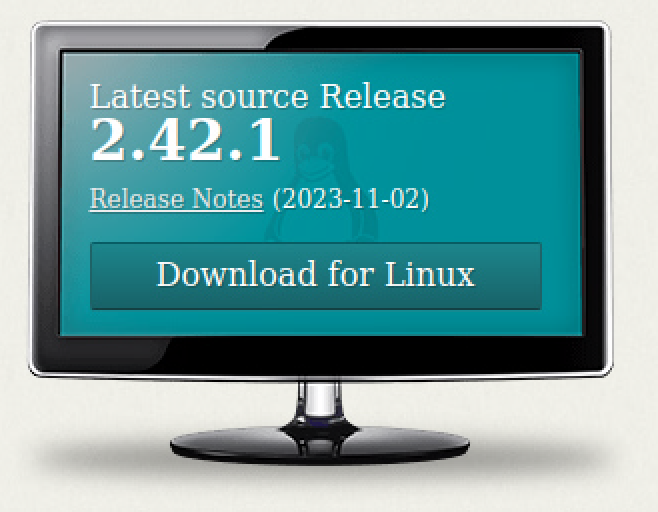
git 홈페이지에 보면 가장 최신 업데이트 정보가 올라가는 PPA를 아래와 같이 제시하고 있다.

따라서, 해보자
sudo add-apt-repository ppa:git-core/ppa
PPA publishes dbgsym, you may need to include 'main/debug' component
Repository: 'deb https://ppa.launchpadcontent.net/git-core/ppa/ubuntu/ jammy main'
Description:
The most current stable version of Git for Ubuntu.

For release candidates, go to https://launchpad.net/~git-core/+archive/candidate .
More info: https://launchpad.net/~git-core/+archive/ubuntu/ppa
Adding repository.
Press [ENTER] to continue or Ctrl-c to cancel.
Adding deb entry to /etc/apt/sources.list.d/git-core-ubuntu-ppa-jammy.list
Adding disabled deb-src entry to /etc/apt/sources.list.d/git-core-ubuntu-ppa-jammy.list
Adding key to /etc/apt/trusted.gpg.d/git-core-ubuntu-ppa.gpg with fingerprint E1DD270288B4E6030699E45FA1715D88E1DF1F24
Hit:1 http://packages.microsoft.com/repos/code stable InRelease
Hit:2 https://dl.google.com/linux/chrome/deb stable InRelease
Ign:3 http://linux.dropbox.com/ubuntu disco InRelease
Hit:4 http://kr.archive.ubuntu.com/ubuntu jammy InRelease
Hit:5 http://linux.dropbox.com/ubuntu disco Release
Hit:6 http://security.ubuntu.com/ubuntu jammy-security InRelease
Hit:7 http://kr.archive.ubuntu.com/ubuntu jammy-updates InRelease
Hit:9 http://archive.ubuntu.com/ubuntu focal InRelease
Hit:10 http://kr.archive.ubuntu.com/ubuntu jammy-backports InRelease
Get:11 https://ppa.launchpadcontent.net/git-core/ppa/ubuntu jammy InRelease [23.8 kB]
Get:12 https://ppa.launchpadcontent.net/git-core/ppa/ubuntu jammy/main i386 Packages [2,824 B]
Get:13 https://ppa.launchpadcontent.net/git-core/ppa/ubuntu jammy/main amd64 Packages [2,828 B]
Get:14 https://ppa.launchpadcontent.net/git-core/ppa/ubuntu jammy/main Translation-en [2,128 B]
Fetched 31.6 kB in 5s (6,234 B/s)
아래의 위치에 ppa가 추가됨을 알 수 있다.

다시 apt update, 4개의 업그레이드 가능한 추가 패키지가 생겼다.
sudo apt update
Hit:1 http://packages.microsoft.com/repos/code stable InRelease
Hit:2 https://dl.google.com/linux/chrome/deb stable InRelease
Ign:3 http://linux.dropbox.com/ubuntu disco InRelease
Hit:4 http://archive.ubuntu.com/ubuntu focal InRelease
Hit:5 http://security.ubuntu.com/ubuntu jammy-security InRelease
Hit:6 http://kr.archive.ubuntu.com/ubuntu jammy InRelease
Hit:7 http://linux.dropbox.com/ubuntu disco Release
Hit:8 http://kr.archive.ubuntu.com/ubuntu jammy-updates InRelease
Hit:9 https://ppa.launchpadcontent.net/git-core/ppa/ubuntu jammy InRelease
Hit:10 http://kr.archive.ubuntu.com/ubuntu jammy-backports InRelease
Reading package lists... Done
Building dependency tree... Done
Reading state information... Done
4 packages can be upgraded. Run 'apt list --upgradable' to see them.
꼭 집어서 업데이트 하면, git이 업데이트 된다. 참고로 rgsender는 HP에서 업데이트 지원을 안해주기 때문에 항상 에러메세지를 동반하는 패키지 이다.
sudo apt install git
Reading package lists... Done
Building dependency tree... Done
Reading state information... Done
The following package was automatically installed and is no longer required:
  nvidia-firmware-535-535.113.01
Use 'sudo apt autoremove' to remove it.
The following additional packages will be installed:
  git-man
Suggested packages:
  git-daemon-run | git-daemon-sysvinit git-doc git-email git-gui gitk gitweb git-cvs git-mediawiki git-svn
The following packages will be upgraded:
  git git-man
2 upgraded, 0 newly installed, 0 to remove and 2 not upgraded.
1 not fully installed or removed.
Need to get 8,532 kB of archives.
After this operation, 12.6 MB of additional disk space will be used.
Do you want to continue? [Y/n] y
Get:1 https://ppa.launchpadcontent.net/git-core/ppa/ubuntu jammy/main amd64 git amd64 1:2.42.0-0ppa1~ubuntu22.04.1 [6,406 kB]
Get:2 https://ppa.launchpadcontent.net/git-core/ppa/ubuntu jammy/main amd64 git-man all 1:2.42.0-0ppa1~ubuntu22.04.1 [2,126 kB]
Fetched 8,532 kB in 6s (1,412 kB/s)
(Reading database ... 292872 files and directories currently installed.)
Preparing to unpack .../git_1%3a2.42.0-0ppa1~ubuntu22.04.1_amd64.deb ...
Unpacking git (1:2.42.0-0ppa1~ubuntu22.04.1) over (1:2.34.1-1ubuntu1.10) ...
Preparing to unpack .../git-man_1%3a2.42.0-0ppa1~ubuntu22.04.1_all.deb ...
Unpacking git-man (1:2.42.0-0ppa1~ubuntu22.04.1) over (1:2.34.1-1ubuntu1.10) ...
Setting up rgsender (20.4.0.8886) ...
unknown unknown is not currently supported
dpkg: error processing package rgsender (--configure):
 installed rgsender package post-installation script subprocess returned error exit status 1
Setting up git-man (1:2.42.0-0ppa1~ubuntu22.04.1) ...
Setting up git (1:2.42.0-0ppa1~ubuntu22.04.1) ...
Processing triggers for man-db (2.10.2-1) ...
Errors were encountered while processing:
 rgsender
E: Sub-process /usr/bin/dpkg returned an error code (1)
버전확인, Good
git --version
git version 2.42.0'Ubuntu' 카테고리의 다른 글
| 파일 지우기 (0) | 2023.11.13 |
|---|---|
| DPKG로 인스톨된 패키지 상태 확인 (0) | 2023.11.06 |
| SED를 이용한 텍스트 파일 내용의 일괄 변경 (0) | 2023.09.06 |
| 우분투 파일, 디렉토리 권한 확인 (0) | 2023.08.23 |
| 계정 확인 방법 (0) | 2023.08.23 |